
RETRY FAILED SQL BACKUPS
SQL Backup Master includes multiple failed backup retry mechanisms that help reduce the impact of temporary problems such as network outages.
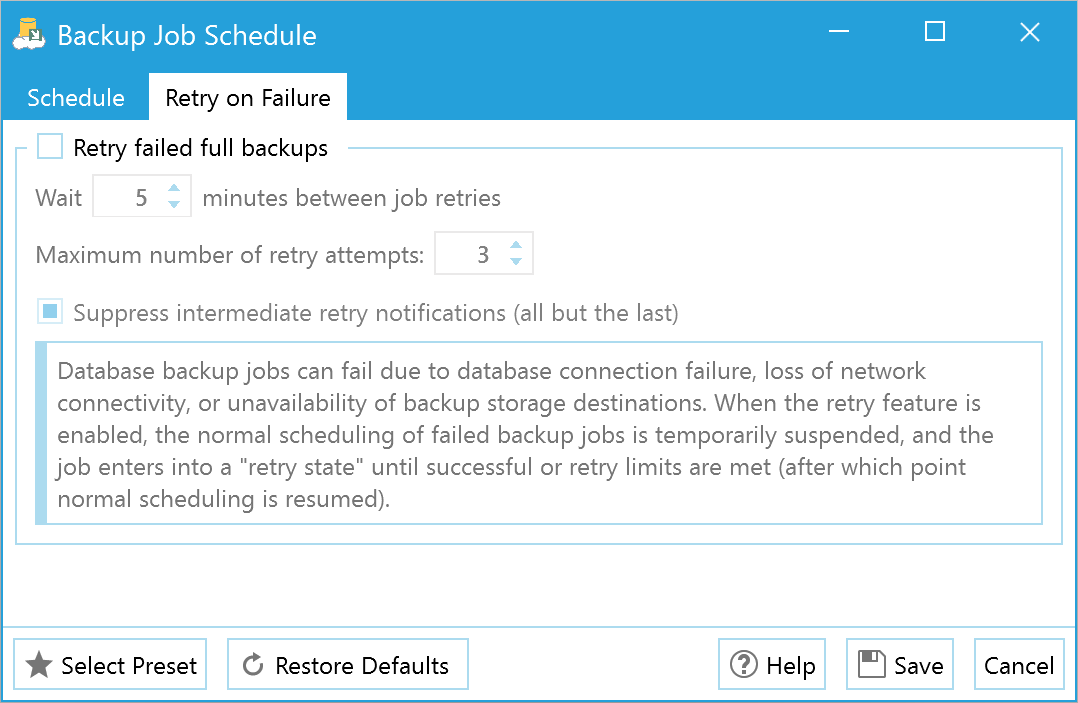
Tenacity and persistence are foundational design tenets for SQL Backup Master, affecting backup storage, job scheduling, and more.

Network interruptions, temporary server unavailability, and transient resource constraints can cause backup operations to fail even when your infrastructure is fundamentally sound. Rather than accepting these temporary failures and waiting until the next scheduled backup, SQL Backup Master's automatic retry mechanism attempts to complete failed backups after a configurable delay. You can specify how many retry attempts to make and how long to wait between attempts, allowing the software to ride out temporary issues without manual intervention.
This retry capability is particularly valuable for cloud-based backup destinations where network connectivity may be intermittent, or for large database backups that may encounter temporary resource constraints during peak usage periods. The retry logic is intelligent enough to distinguish between temporary failures that might succeed on retry (like network timeouts) and permanent failures that won't benefit from retrying (like authentication errors), avoiding pointless retry attempts when they won't help. By automatically recovering from transient failures, SQL Backup Master significantly improves backup completion rates and reduces the operational burden of monitoring and manually restarting failed backup jobs, ensuring more consistent data protection with less administrative overhead.